The Divi theme comes with the Elegant Themes Icon Font which contains 360 cool icons. You can use these icons in the Divi Blurb module, but what if you want to use them somewhere else, like in a Text module or Code module, or sidebar?
This article shows you how to easily do it. Note, here’s a different article on how to add an icon to your main menu.
Turns out it’s easy to do. First, find the icon you want to use in this Elegant Themes article and copy the code below it:
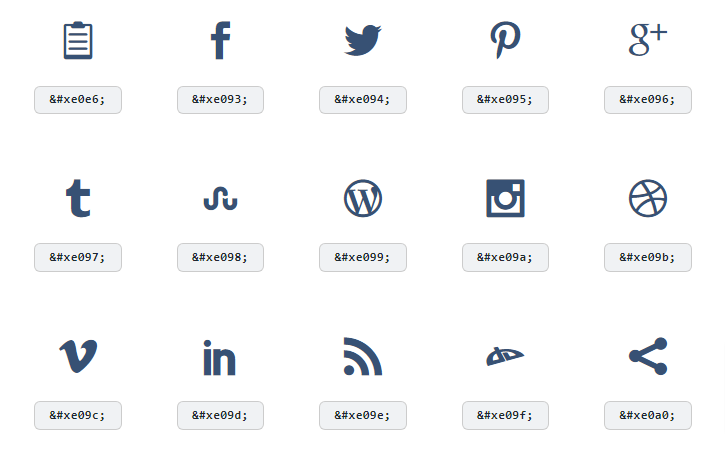
Next, paste the code inside the tags in this code (I’m using the mail icon in this example):
<a href="mailto:test@test.com" class="et-pb-icon" style="font-size: 30px;"></a>Paste these onto your site wherever you want. Note, once the page is saved, the code will no longer show up in the text editor, just to warn you. But, the icon will be there on the front end and Visual Editor.
And of course, you can change the font size to whatever you want to adjust the size, and you can add CSS to change the color.
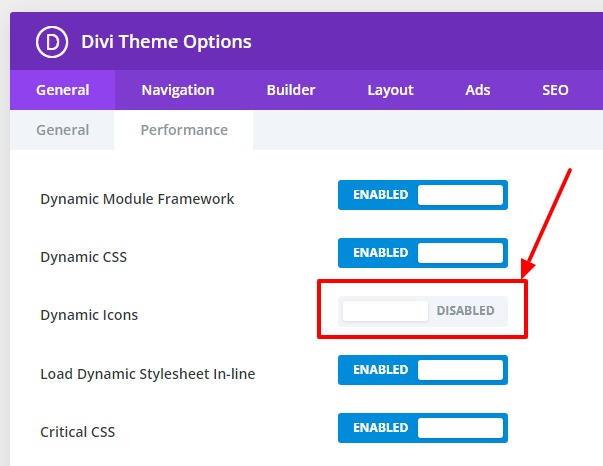
If it’s not working for you, try disabling Dynamic Icons in the Divi Theme Options -> Performance settings:
Adding an Icon to the Main Menu
If you want to add Elegant Themes icons to your main menu, I would recommend a different method to add icons to the main menu.
You can still use this method, but you’ll have to add an aria-label since there is no text in the link tag. To do that, I add this code snippet to my functions.php:
function add_aria_label_to_menu_link_attributes( $atts, $item, $args, $depth ) {
    // Check for a specific CSS class on the menu item to target it
    if ( in_array( 'instagram-icon', $item->classes ) ) {
        $atts['aria-label'] = 'Instagram';
    }
    return $atts;
}
add_filter( 'nav_menu_link_attributes', 'add_aria_label_to_menu_link_attributes', 10, 4 );
In this case, I’ve added an Instagram icon to my main menu using the technique above and added the class “instagram-icon” to it. The aria-label of “Instagram” should appear on that menu item after this code is added to your functions.php.
You’ll just have to remember to add new aria-label code every time you add an icon to the main menu. Because of that, the other method to add icons to the main menu might be better.
Conclusion
Let me know how this worked for you in the comments below. – Brian

I am a freelance web developer and consultant based in Santa Monica, CA. I’ve been designing websites using WordPress and from scratch using HTML, CSS, PHP, and JavaScript since 2010. I create websites and web applications for businesses, nonprofits, and other organizations. I have a degree in Electrical Engineering (BSEE) from California Institute of Technology and a degree in Engineering Management (MSEM) from Stanford University. If you need help with your site, you can hire me!